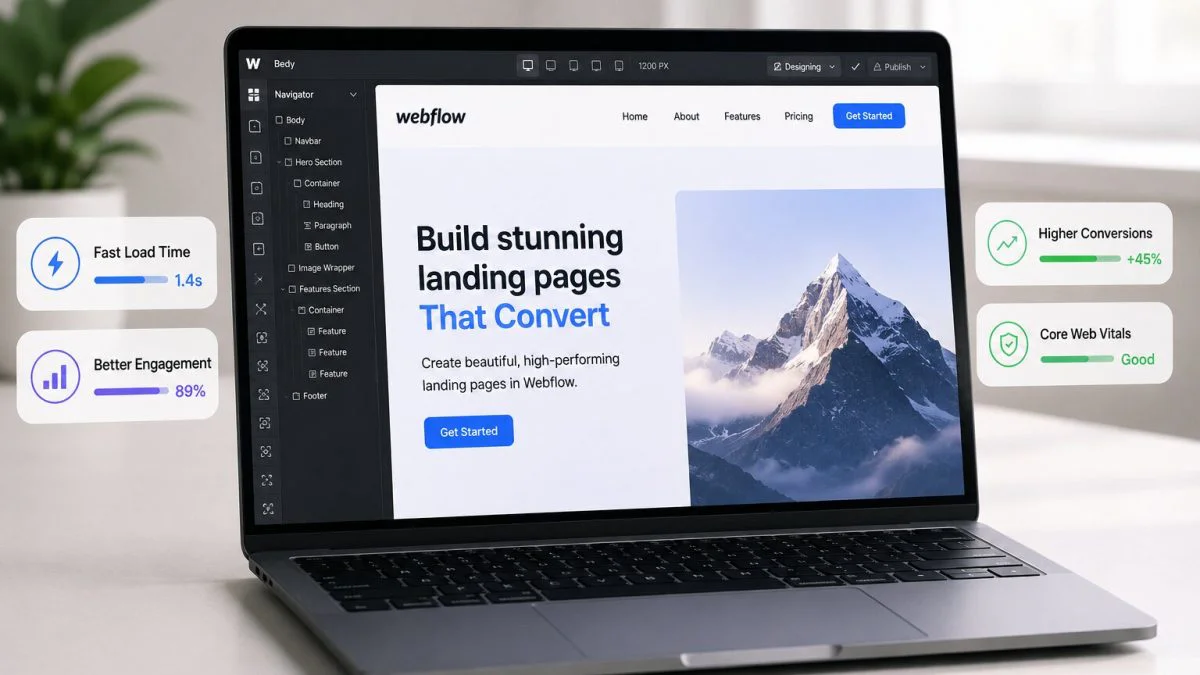
Webflow makes it genuinely easy to build landing pages that look exceptional. The visual builder handles animations, scroll interactions, custom typography, and layered layouts without touching a line of code. But there is a gap between how a page looks in the Webflow designer and how it actually performs in a real browser on a real device. That gap is load speed, and it has a more direct effect on visitor engagement than almost any design decision made during the build.
Slow load times push visitors out before they read a single headline, suppress search rankings, and undermine every other effort put into the page. Understanding why Webflow performance optimization matters and what actually causes the slowdowns most Webflow landing pages experience is what separates pages that convert from pages that just look good in screenshots.
When the Page Takes Too Long, Visitors Do Not Stick Around
The reality of how people respond to a slow-loading page is not dramatic. There is no error message, no complaint, no visible signal that anything went wrong. Visitors simply close the tab before the page finishes loading, and the session ends before the content has a chance to make any impression at all.
A Google study found that bounce probability increases by 32% as load time goes from one to three seconds. On a landing page designed to generate a lead or a demo request, that margin is a fundamental problem with the page’s ability to do its job. Speed is the first real test every landing page faces, and slow pages fail it quietly and repeatedly.
The Webflow Build That Looks Light but Loads Heavy
The problem isn’t the Webflow framework itself; it’s everything that gets stacked on top of it after the design is done.
Why Third-Party Embeds Are Usually the Root Cause
Webflow’s native interactions and animations are generally well-optimized. The platform is careful about how it exports code, and the base output of a cleanly built Webflow page tends to perform well on its own. The speed problems most Webflow landing pages encounter come from what gets layered on top of that base.
A landing page with a Lottie animation, a Typeform embed, a live chat script, and a Google Fonts call can look minimal visually, but from the browser’s perspective, all of those elements compete to load before the page becomes interactive. Each one introduces a render-blocking resource or an additional network request, and the combination is what causes Largest Contentful Paint (LCP) scores to suffer.
LCP measures how long it takes for the main visible element, typically the hero image or headline to appear. A high LCP score means visitors are staring at a blank screen longer than acceptable, and many leave during that window.
Speed Does Not Stop Mattering After the Page Loads
Getting visitors onto the page is only half the equation. Speed continues shaping the experience after the initial load, and this is where many Webflow landing pages lose engagement even when their LCP scores look acceptable.
Interaction to Next Paint (INP) measures how quickly a page responds to user interactions, including clicks, taps, and keyboard inputs. A landing page with a sticky navigation, an animated CTA, and a multi-step signup form can score poorly on INP if the JavaScript controlling those elements has not been properly deferred. Visitors experience this as a subtle lag between clicking something and the page reacting, which erodes trust exactly when a decision is being made.
Cumulative Layout Shift (CLS) creates a different problem. Webflow pages that load external fonts or render elements with delayed sizing can produce visible layout jumps as the page settles. A headline that shifts down, a button that moves after a font loads – these moments feel unpolished and reduce trust regardless of how carefully the page was designed.
How Page Speed Connects to Search Visibility and CTR
Speed influences how a page performs in search before a single visitor even clicks through.
The Link Between Core Web Vitals, Search Visibility, and Organic Traffic
A fast Webflow landing page does more than hold visitors, it also earns more organic visibility. Core Web Vitals are a confirmed Google ranking factor, meaning pages with strong LCP and INP scores have a measurable edge over slower competitors targeting the same search terms. The advantage compounds over time as the slower pages accumulate higher bounce rates and lower engagement signals.
Speed also affects how Googlebot crawls and processes a page during indexing. Structured data is only eligible for rich results if Google can successfully render the page and validate the markup. A render-blocking script that delays rendering can prevent that validation from happening, which reduces the click-through rate (CTR) a page earns from search even after it ranks. Better speed supports both the ranking and the traffic it generates.
Getting to a Fast Page Without Gutting the Design
Most Webflow speed problems trace back to a short list of causes: render-blocking third-party scripts, synchronously loading fonts, animations that fire immediately on load regardless of whether they are in view, and embeds added to global site settings that run on every page whether they are needed or not.
Deferring non-critical JavaScript, enabling lazy loading for below-the-fold sections, scoping third-party scripts only to the pages that need them, and self-hosting fonts instead of pulling from external CDNs address the majority of these issues without changing how the page looks.
Continuous monitoring matters as much as the initial fix. Webflow sites pick up speed regressions after template updates, new integrations, or additional embeds. A page that passed a speed audit three months ago may not pass one today. The most reliable way to boost your website speed on Webflow is to treat performance as an ongoing process, not a one-time cleanup.
Frequently Asked Questions
Does Webflow produce slow pages on its own?
Webflow’s native code output is generally clean and well-structured. Speed problems on Webflow landing pages usually come from third-party scripts, external fonts, and embed codes that introduce render-blocking resources.
Why does a Webflow page feel slow even after it loads?
Slow INP scores mean the page is not responding quickly to clicks and interactions. This is usually caused by JavaScript that has not been deferred, leaving the browser’s main thread busy when a visitor tries to interact.
What is LCP and why does it matter for a landing page?
LCP, or Largest Contentful Paint, measures how long the main visible content takes to appear. A high LCP means visitors are waiting on a partially loaded screen, which increases bounce rates before any content has a chance to engage them.
Does page speed affect where a Webflow landing page ranks on Google?
Yes. Core Web Vitals, including LCP and INP, are confirmed ranking factors. Pages with better scores have a measurable advantage in organic search over slower pages targeting the same keywords.
How often should a Webflow landing page be tested for speed?
After any meaningful change – a new embed, a template update, a new section added. Speed regressions often go unnoticed because they do not produce visible errors; only regular testing catches them early.